WhatsApp Business API
WhatsApp Business API integration: sell where your customers already are
Official WhatsApp Business API setup and integration, automated replies, order and delivery updates, template messages and a shared team inbox, connected to the systems you already run.
Bring the messages your team retypes daily. Those are the templates worth automating.
Quick answer
What does the WhatsApp Business API cost, and how is it different from the free app?
Mana Studio sets up and integrates the official WhatsApp Business API — automated replies, order and delivery updates, template messages and a shared team inbox, connected to the systems a business already runs. The free WhatsApp Business app runs on one phone and cannot be automated meaningfully; the API has no app at all, connects to a business's systems, lets several staff answer one number, and is the only way to send automated updates at volume. Cost has two parts: Meta charges per conversation at rates that vary by category and country, billed to the client's own account and not marked up, with an estimated monthly conversation cost given before starting; and Mana Studio's build fee, published on the India price list and quoted to scope for larger builds. An existing number can usually be kept but must be migrated, because a number on the API cannot also be used in the WhatsApp or WhatsApp Business app — that switch is planned so the business is not offline while it happens. Template messages sent outside the 24-hour customer-initiated window need Meta's approval; rejections are almost always about wording, so templates are drafted to pass first time. The API connects to a CRM or order system so conversations attach to customer records, enquiries create leads automatically, and order events trigger messages without anyone typing them. Mana Studio is based in Warangal, Telangana, India, works with clients in India, the United States, the United Kingdom and the UAE in English, Telugu and Hindi, and replies to enquiries within one business day.
Last reviewed
- Meta's charge
- Per conversation, billed to your account — not marked up
- Build fee
- India price list; quoted to scope for larger builds
- Existing number
- Usually migratable — planned so you are not offline
- vs the free app
- Automation, several staff on one number, updates at volume
- Connects to
- Your CRM or order system
- Based in
- Warangal, Telangana, India
In India the enquiry does not arrive by email. It arrives on WhatsApp, usually as “price?”, usually outside working hours, and usually to a personal number that nobody else on the team can see. The business grows, the number becomes a bottleneck, and there is no record of anything that was agreed.
The official WhatsApp Business API is the way out of that, and it is genuinely confusing to buy: it is not an app you install, there are template approvals, a verified business profile, per-conversation pricing set by Meta, and a provider in between. Most of what we do on the first call is explain what you are actually signing up for, including the parts that cost money.
Then we build the useful half, automated replies to the questions your team answers forty times a day, order and delivery updates that stop the “where is my order” messages, a shared inbox so any of your staff can pick up a conversation, and a connection into your CRM or order system so the thread and the record are the same thing.
Why businesses come to this
WhatsApp is where most Indian customers already are. The gap is almost always between a personal WhatsApp number that one person owns and a business channel the company owns.
“Orders come to one staff member’s personal WhatsApp.”
The most common and most dangerous version. The customer relationship belongs to a handset rather than the business, and it leaves when that person does. The Business API puts the number, the history and the access under the company.
“We cannot see what was promised to whom.”
Conversations in one shared inbox with assignment, plus the lead landing in your CRM with the thread attached, rather than screenshots forwarded to a manager.
“We want to send order and delivery updates automatically.”
Utility messages, triggered from your own system. These are the highest-value messages to automate because customers genuinely want them, which keeps block rates low.
“Our broadcasts got the number banned.”
Almost always marketing templates sent to people who never opted in. Quality rating, opt-in handling and template approval are part of the setup, not an afterthought.
“We were quoted a setup fee and do not know what it covers.”
Worth separating. Meta itself charges no setup fee. What you are quoted is a provider onboarding charge and an integration fee, and they are different things from different companies.
“We need it to answer, not just receive.”
That is a chatbot on top of the channel, and it is a separate build with its own running cost.
What we set up and build
Official API access and verification
Business verification, phone number setup, display name approval and the provider account, handled with you rather than left as a prerequisite you have to solve first.
Automated replies and menus
Instant answers to the repeat questions, price, hours, location, availability, order status, with a clean path to a human for anything else. Nights and Sundays included.
Order, delivery and payment updates
Template messages fired from your own systems at the moments that matter: confirmed, dispatched, out for delivery, payment received. This is what removes the majority of inbound messages.
Shared team inbox
Several staff answering one business number, with assignment, history and notes, instead of one person's personal phone holding every customer relationship.
CRM and system integration
Conversations attached to the customer record, enquiries created automatically, and messages triggered by events in your CRM, store or ERP.
AI chatbot on the channel
Where the volume justifies it, a bot that answers from your own documents and prices rather than from a script, with the same handover rules as everything else we build.
The three things you actually pay for
This is the part almost every page on this subject blurs together, and it is why quotes look wildly different. There are three separate bills from three separate places. Knowing which is which is how you compare two proposals properly.
| Layer | Who bills you | How it is charged |
|---|---|---|
| Meta conversation charges | Meta, to your own account | Per conversation, priced by category: marketing, utility, authentication and service are each rated differently, and service conversations a customer starts are the cheapest. Rates are set by Meta per country and change. Never marked up by us. |
| The provider platform | Your chosen provider | A monthly platform fee for the shared inbox, template management and the API access itself. This is where quoted “setup fees” usually live. Billed to you directly, in your own account. |
| The integration work | Us, once | Connecting the channel to your website, CRM, order system or ERP, plus opt-in handling, templates and the failure paths. One-time, on the published India price list. |
There is no Meta setup fee. If a quote shows one, it is a provider onboarding charge or an integration fee under a different name, and it is worth asking which. Because the first two layers are billed to your own accounts, you keep the number, the templates and the message history if you ever move providers or move away from us.
How it connects to what you already run
Three routes, and the right one depends on what your team already works in rather than on what is technically nicest.
| If this is true | Route | Why |
|---|---|---|
| You already use a CRM with a WhatsApp connector | Native connector | Least work and least to maintain. We configure it and wire the opt-in and templates properly. Worth ruling in before anything custom. |
| You need a shared inbox your sales team lives in | Provider platform, configured | The provider's own inbox handles assignment and history. We connect your systems to it rather than rebuilding what it already does. |
| Messages must be triggered by your own software | Direct API integration | Order placed, payment received, shipment dispatched. Triggered from your system, with retries and a record of what was sent. |
| You want it to reply on its own | Chatbot on top | A separate build with its own per-conversation model cost, on top of the layers above. |
| You mostly want the repetitive follow-up to stop | Automation, not just messaging | Often the actual requirement. The message is the last step of a workflow, not the whole project. |
When not to do this: if you send a handful of messages a day and one person handles them comfortably, a personal number is genuinely fine and the Business API adds cost and approval steps for no gain. The trigger to move is usually a second person needing access, or a number you cannot afford to lose.
What it connects to
Mainstream, well-supported technology — chosen so your next developer can pick the project up, not so we are the only ones who can maintain it.
Channel
- WhatsApp Business API
- Template messages
- Interactive buttons
- Media messages
Your systems
- CRM
- Order & inventory
- Razorpay / UPI
- Google Sheets
Build
- Node.js
- Webhooks
- REST APIs
- MongoDB
Operations
- Shared inbox
- Delivery reports
- Opt-out handling
- Conversation logs
How we work
How a WhatsApp project runs
What it actually costs, explained
Meta charges per conversation and the rates differ by category and country. We walk you through your likely monthly cost before you commit, because that is the number that surprises people.
Access and verification
Business verification and number setup done with you. This is the stage that stalls most projects when a business tries it alone.
Templates written and submitted
Message templates drafted to pass approval first time, rejections are usually about wording and are avoidable, and mapped to the events in your systems that should send them.
Build, launch, and hand over
Integration built and tested against your real order flow, the team trained on the shared inbox, and every account in your name.
What it costs
Integration work is published on the India price list; Meta's per-conversation charges are billed to your own account rather than marked up by us. Larger builds, a full chatbot, or a deep ERP connection, are quoted to scope.
Systems we have connected
Order flows, catalogues and enquiry pipelines, the systems WhatsApp has to talk to.

E-commerce
Rami Silks
Full-stack e-commerce platform for traditional Indian clothing with AWS integration and advanced analytics
Next.js · Node.js · MongoDB · AWS S3
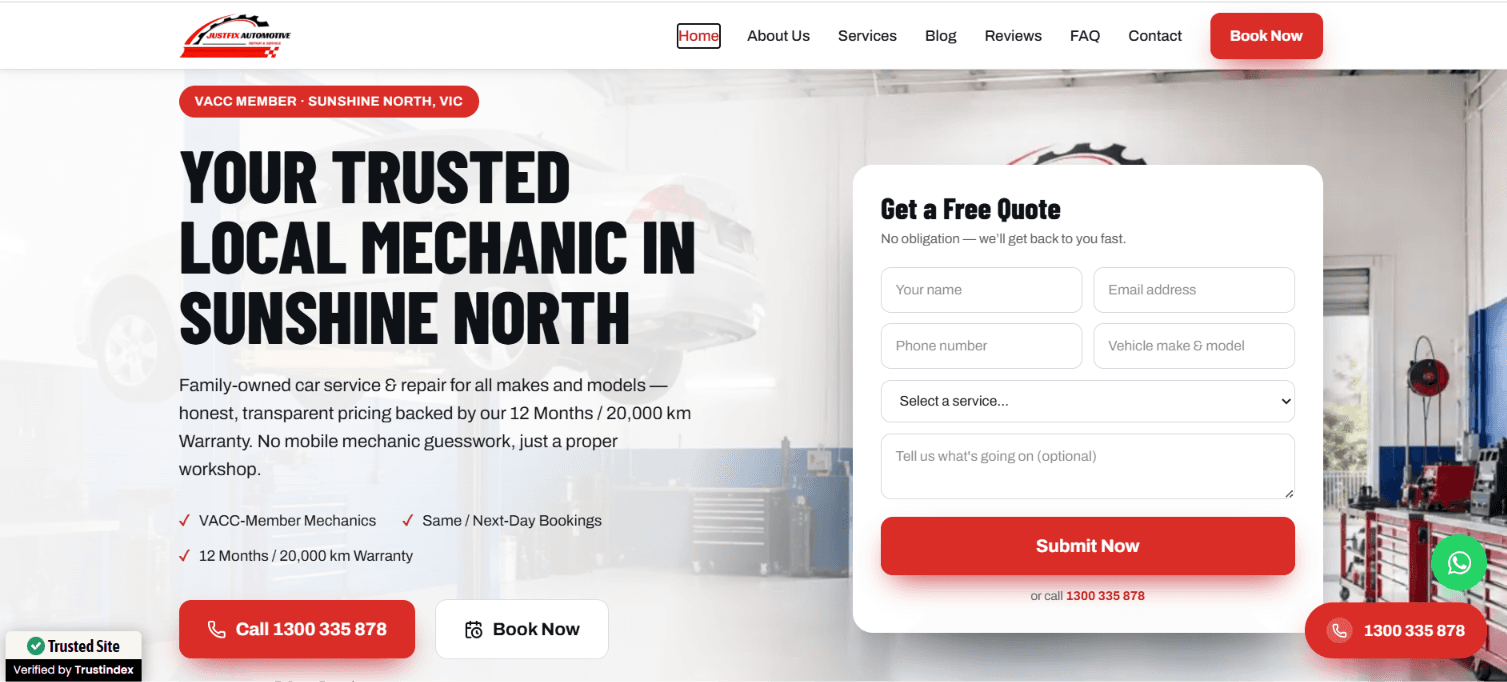
Car Service
JustFix Automotive
Designed and built a fast, user-friendly website for JustFix Automotive, a trusted mechanic workshop in Sunshine North, VIC. We executed a comprehensive on-page and technical SEO strategy optimizing site speed, local schema, and service-page architecture—to boost search rankings, capture high-intent local traffic, and drive online service bookings.
NEXT JS · HOSTING · TAILWIND · MONGODB

logistics website
Dwaraka Packers and Movers
A modern, SEO-optimized website designed and developed by Mana Studio for a professional packers and movers company. From UI/UX design to full-stack development, we built a fast, mobile-friendly, and conversion-focused website that helps generate leads, build customer trust, and strengthen the brand's online presence.
Next.js React.js JavaScript (ES6+) HTML5 CSS3
WhatsApp Business API Integration by industry
The sectors we have shipped work in, and what changes about the build in each one.
Sources & further reading
The primary documentation behind the claims on this page.
Related services
WhatsApp Business API Integration — frequently asked questions
What is the difference between WhatsApp Business and the WhatsApp Business API?
The free WhatsApp Business app runs on one phone and cannot be automated meaningfully. The API has no app at all. It connects to your systems, lets several staff answer one number, and is the only way to send automated updates at volume. It also has real costs, which the free app does not.
How much does the WhatsApp Business API cost?
Two parts. Meta charges per conversation, at rates that vary by category and country, billed to your own account. We do not mark it up. Our build fee is the integration work, published on the India price list and quoted to scope for larger builds. We give you an estimated monthly conversation cost before you commit.
Can we keep our existing WhatsApp number?
Usually, but it has to be migrated, a number on the API cannot also be used in the WhatsApp or WhatsApp Business app. We plan that switch with you so you are not offline while it happens, and many businesses choose to move the business line and leave personal numbers alone.
Why do template messages need approval?
Meta reviews any message you send outside a 24-hour customer-initiated window, to stop the channel filling with spam. Rejections are almost always about wording rather than intent, so we draft templates to pass the first time and resubmit quickly when one does not.
Can it connect to our CRM or order system?
Yes, that is the point of using the API rather than the app. Conversations attach to customer records, enquiries create leads automatically, and order events in your system trigger the message without anyone typing it.
Do we need a chatbot as well?
Not necessarily, and starting without one is often right. Automated replies and order updates remove most of the repetitive volume on their own. A chatbot earns its place when customers ask varied questions your documents can answer, see our AI chatbot development page.
Get your WhatsApp setup scoped
Bring the messages your team retypes daily. Those are the templates worth automating.
Reference
Terms and guides worth reading first
Plain definitions and walkthroughs from our own reference library. No sign-up, no gate.
- GuardrailsGuardrails are the constraints around an AI system that stop it doing things it shouldn't
- Tool Use (Function Calling)Tool use is a model's ability to call external functions
- Model Context Protocol (MCP)MCP is an open standard for connecting AI applications to external tools and data sources, so a single integration works across any AI client that supports it rather than being rebuilt per vendor
- PromptA prompt is the input given to a language model
- TokenA token is the unit language models read and generate
- EvalsEvals are a fixed set of test cases with known-good answers, run against an AI system to measure whether a change made it better or worse
Best WhatsApp Business API Company in India To Turn Enquiries Into a System, Not a Personal Phone
In India the enquiry does not arrive by email, it arrives on WhatsApp, usually as "price?", usually outside working hours, and usually to a personal number that nobody else on the team can see. The business grows, that number becomes a bottleneck, and there is no record of what was ever agreed to a customer.
The official WhatsApp Business API is the way out, and it is genuinely confusing to buy alone: it is not an app you install, there are template approvals, a verified business profile, per-conversation charges set by Meta, and a provider sitting in between. Most of the value in hiring someone for this is having it explained honestly before you commit, including the parts that cost money.
Why businesses look for this now
It usually surfaces once a business has outgrown one person's phone: several staff need to answer the same number, management wants a record of what was promised to a customer, and "where is my order" messages are eating a morning that should be spent on new enquiries. Automated order and delivery updates alone remove most of that inbound volume without needing a full chatbot.
What a proper integration should include
- Official business verification, phone number setup and display name approval, handled with you rather than left as a prerequisite you have to solve alone
- Automated replies to the repeat questions, price, hours, location, availability, with a clean path to a human for anything else
- Template messages fired from your own order or CRM system at the moments that matter: confirmed, dispatched, out for delivery, payment received
- A shared team inbox so several staff can answer one number, with history and notes attached to the conversation
- Conversations attached to the customer record in your CRM, not a separate island of chat history
What it actually costs
Two separate costs exist and a good vendor explains both before you sign. Meta charges per conversation at rates that vary by category and country, billed straight to your own account, never marked up by whoever built the integration. The build fee for the integration itself is published on the India price list for a single integration; larger builds, a full chatbot on the channel, or a deep ERP connection, are quoted to scope. Ask for an estimated monthly conversation cost before committing, that number is the one that surprises people who skip this step.
What to check before you sign
Ask whether your existing number can migrate, a number active on the API cannot also run in the regular WhatsApp or WhatsApp Business app, so the switch has to be planned rather than flipped overnight. Ask who drafts the message templates for Meta's approval process, rejections are almost always about wording rather than intent, and an experienced vendor drafts to pass the first time rather than iterating in front of a live launch date.
When this is not the right spend yet
If your WhatsApp volume is genuinely low, one or two people comfortably managing the inbox from a personal phone, the API's Meta charges and setup cost outweigh the problem it solves, and the honest recommendation is to wait until the volume actually justifies it. It is also premature to add a chatbot on top before the basics, automated replies and order updates, have had a chance to remove the repetitive load on their own; several businesses find that is enough by itself.
How the project should run
Verification and number setup come first, because this is the stage that stalls most businesses attempting it alone. Templates get drafted and submitted against the real events in your systems next, and the build is tested against your actual order flow before the team is trained on the shared inbox and every account handed over in your name.
Working with the same team past launch
Template rules and Meta's pricing tiers change periodically, and a vendor worth keeping on retainer flags those changes before they cost you a rejected message or an unexpected bill, rather than after. The conversation history and CRM connection should keep working whether or not that ongoing relationship continues, because none of it should ever be locked inside an account only the vendor controls.
Talk to us about whatsapp business api integration
Tell us what you are trying to build and where you are based. We call back within 2 hours during business hours.