8 Best Free SEO Chrome Extensions You Must Use in 2025
Kalyan Padala stared at her laptop, shocked. Her startup’s organic traffic had dropped 63% in just 3 months. After paying $10,000 to a consultant, the fix was painfully simple: wrong meta tags, a broken H1 structure, and dozens of unnoticed 404 errors.
What’s crazier? All these issues could’ve been diagnosed using free Chrome extensions.
Today, SEO offers an average 825% ROI. And with the right browser extensions, you can diagnose issues, research keywords, analyze competitors, and optimize pages instantly.
Before we go deeper, here are some related guides from Manastudio you may find useful:
- 1.AI SEO Is Changing Everything in 2026
- 2.Why Your Business Needs a Website in 2026
- 3.React2Shell – Critical React Vulnerability (2025)
- 4.Small Business Online Guide 2026 (India Edition)
- 5.Start Selling Online – From Zero to First Sale
- 6.7 Short Form Video Strategies for 2026
Why Chrome Extensions Matter for Your SEO Success
Google Chrome holds a massive 67.72% browser market share. So using Chrome extensions means optimizing on the same platform your customers use.
Key benefits:
- Time Efficiency: Instant SEO data without switching tabs.
- Cost Savings: Save thousands on audit tools & agencies.
- Real-Time Insights: Optimize pages while browsing.
- Competitive Intelligence: Track competitors’ keywords, backlinks & authority.
Now let’s check the 8 best free SEO Chrome extensions you must use in 2025.
1. Ubersuggest – SEO & Keyword Discovery Tool

Created by Neil Patel, Ubersuggest is a fast all-in-one SEO helper.
Best For:
Content strategists, business owners, and bloggers doing keyword validation.
Pro Tip: Use it while checking competitor blogs to instantly see what keywords they target.
Install Ubersuggest2. MozBar – Instant Domain & Page Authority Checker

MozBar remains the gold standard for authority metrics.
Why it’s powerful:
- Shows DA, PA, Spam Score instantly
- View meta tags, HTTP status, and on-page data
- Best for competitor audits & link building decisions
3. Detailed SEO Extension – Deep On-Page Analysis
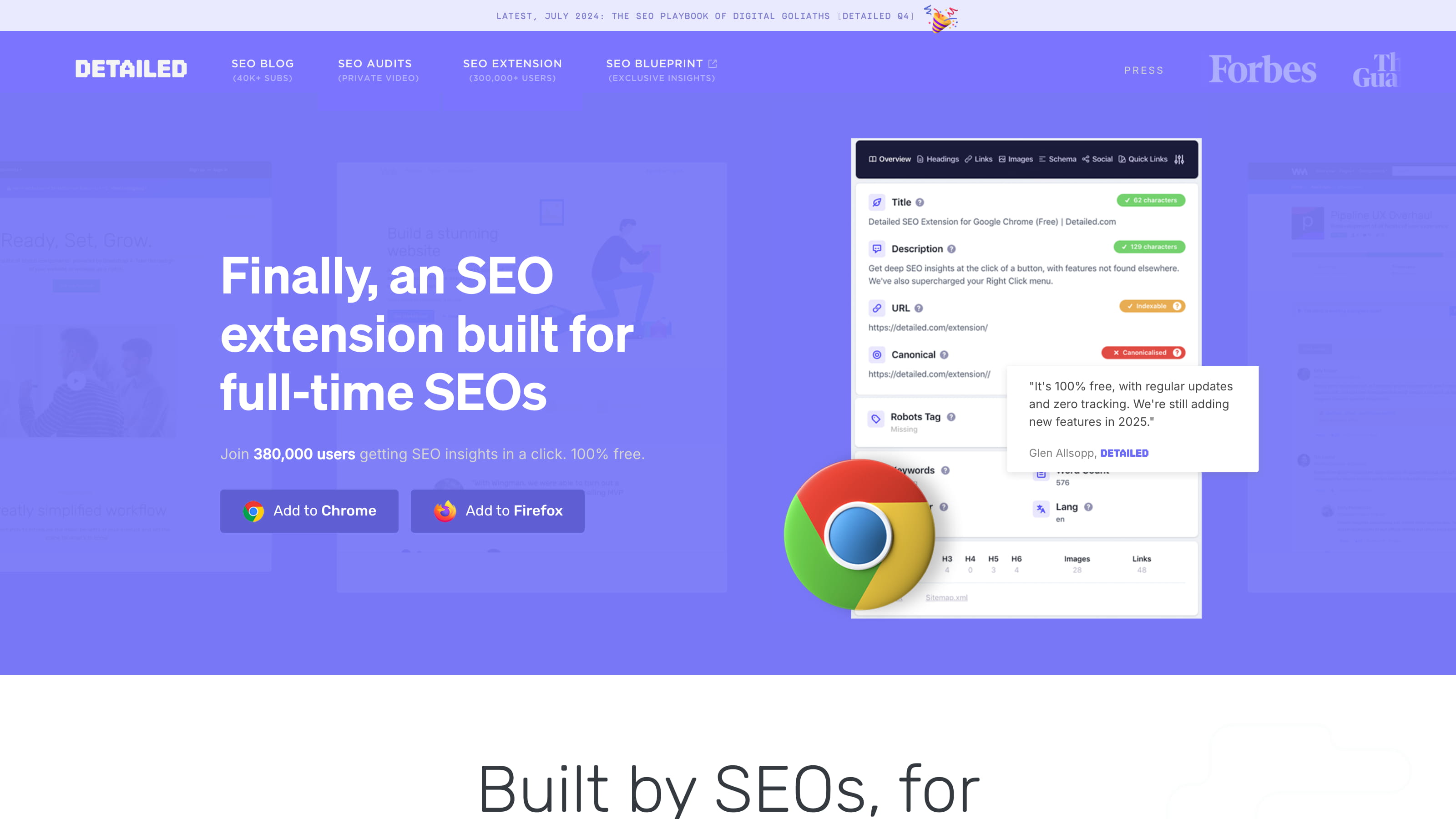
This extension gives a complete on-page SEO audit in one click.
Best For:
Technical SEO teams, agencies, bloggers optimizing content before publishing.
Install Detailed SEO Extension4. Check My Links – Broken Link Finder
Broken links hurt both rankings and conversions.
- Highlights broken links in red
- Scans hundreds of links in seconds
- Perfect for web developers & SEO cleanup
5. Similar Sites – Discover Competitors

Great for finding out what other sites your visitors might also be using.
6. SEOquake – All-in-One SEO Powerhouse

SEOquake gives multi-source metrics including SEMrush rank, backlinks, indexed pages, etc.
7. Page Analytics – Ultra-Fast On-Page Checker
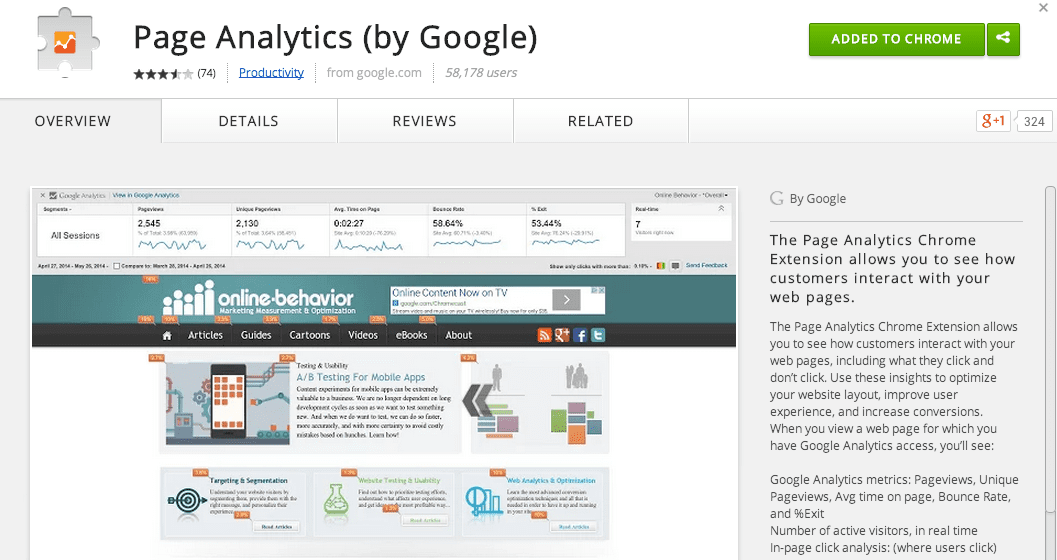
Perfect for bloggers and content writers who want quick on-page checks before posting.
8. Query Hunter – Keyword & Questions Research Tool
Extracts People Also Ask + long-tail questions automatically.
How Manastudio Digital Solutions Boosts Your SEO Results
Using tools is one thing. Getting results requires strategy.
Manastudio provides:
- SEO-optimized website development
- E-commerce development
- WordPress performance optimization
- Technical SEO + On-Page + Off-Page SEO
- Custom app and digital solutions
Our team uses these extensions daily to deliver superior ranking performance.
Implementation Plan: How to Use These Extensions Together
- Morning Competitive Analysis: Use MozBar + SEOquake.
- Blog Workflow: Use Detailed SEO Extension + Page Analytics.
- Weekly Maintenance: Use Check My Links.
- Keyword Research: Use Ubersuggest + Query Hunter.
- Link Building: Use MozBar to evaluate DA & spam score.
The ROI of Getting SEO Right
SEO can generate 700% ROI long-term.
E-commerce SEO can generate 1,600% ROI.
Industries like real estate get up to 1,389% ROI.
With free Chrome extensions, you gain the same competitive intelligence as large companies without the cost.
Frequently Asked Questions
How many extensions should I install?
Start with 3–5: Ubersuggest, MozBar, Detailed SEO Extension, Check My Links, Query Hunter.
Are free tools accurate?
Yes. They pull data from the same sources as premium tools (in smaller quantities).
Do extensions slow down my browser?
Most stay inactive until clicked. You can disable them anytime.
Conclusion: Your Next Step Toward SEO Domination
The online world rewards those who act fast. While others wait for agency reports or expensive audits, you can optimize in real-time.
These extensions take under 10 minutes to install and can save you thousands in lost traffic.
Your browser becomes an SEO Command Center.
What will you discover about your website in the next 5 minutes that could transform your rankings?